 Chesterfield Flow
Every big trade, as it prints
The Flow table streams every options trade of $20K premium or more, across the whole options market. Today's session loads first. Then new trades arrive live.
Chesterfield Flow streams large options trades with side, Greeks and IV. It also maps live gamma exposure for SPX, NDX, SPY and QQQ. One screen, no noise.
5-day free trial, then $249/month. Renews automatically until you cancel. Cancel anytime in Manage billing. Terms
The Flow table streams every options trade of $20K premium or more, across the whole options market. Today's session loads first. Then new trades arrive live.
Each trade gets a side tag from its fill price against the bid and ask: Above Ask, Ask, Mid, Bid or Below Bid.
Delta, gamma, theta, vega and implied volatility sit next to spot, size, volume, open interest and Vol/OI.
Filter and sort any column. Hide index and ETF symbols with one click, exclude symbols, and pick the columns you want.
Pause freezes the table so you can read a burst. New trades wait in a queue and join the table when you resume.
The GEX heatmap puts SPY, SPXW, QQQ and NDXP side by side. Each ladder marks spot with a price pill, zero gamma, the max gamma strike, the ceiling and the floor. Today's 0DTE ±1σ and ±2σ rows show the expected move.
Switch the expiration window in one click. 0DTE refreshes every 2 seconds. The Nasdaq panel can show its levels in NQ futures points. Turn on Center Spot to keep spot centred, or press Shift+C to centre every panel once.
Search past trades by symbol, date range and expiration. Download any table to CSV for your own analysis.
A screen recording of the real Flow and GEX pages, with no mock-up. It replays the trades recorded on September 28, 2026, at the pace they printed. The rows fill your screen. Click a symbol to open that trade's contract card in a new tab.
Click a symbol in the Flow table. A new tab shows that strike and expiration on the day of the trade, with the order and the contract's volume minute by minute.
The GEX (gamma exposure) heatmap shows dealer gamma at each strike. Large positive and negative bars mark levels where hedging can slow or speed up price.

The Per Expiry view shows the next 5 expirations side by side, with one row for each strike. Use it on any ticker with listed options, including the SPX and NDX composites.
Pick a plan and check out with Stripe. You pay nothing for 5 days.
No password to remember. We email you a one-time login link.
Both run in the browser on desktop, laptop or phone. Nothing to install.
Screenshots that members posted. Names are blurred for privacy.
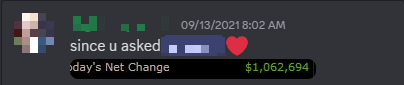

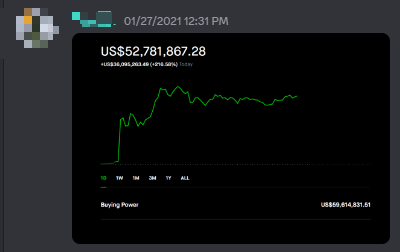
These are individual results that members chose to share. They are not typical, and your results will differ. Past results do not predict future results. Options trading carries a high risk of loss.
Both plans include the full platform. Pay yearly and get 2 months free.
Billed monthly
5-day free trial, then $249/month. Renews automatically until you cancel. Cancel anytime in Manage billing. Terms
About $207.50/mo, save $498 a year
5-day free trial, then $2,490/year. Renews automatically until you cancel. Cancel anytime in Manage billing. Terms
Trading firm or team? Email support@chesterfieldflow.com.
Options flow is the live stream of options trades as they fill on the exchanges. Chesterfield Flow shows the large ones, at $20K premium and above, with the side of the quote each one hit.
GEX means gamma exposure. It estimates how much dealers must buy or sell to stay hedged as price moves. Strikes with large gamma often act as levels.
Per Expiry shows GEX for the next 5 expirations of one ticker, one column per expiration. It works for SPX, NDX, SPY, QQQ and any other optionable ticker. Each column marks its King, Ceiling, Floor, gamma flip and ±1σ and ±2σ lines.
Click a symbol in the Flow table and the trade's contract opens in a new tab. It shows the order's premium, size against open interest, entry, spot and break-even. It also shows the day's volume split by bid, mid and ask, the share that traded in multi-leg orders, and a minute chart of the option's price and volume by side. It refreshes every 15 seconds while the market is open.
Yes. The guide explains every page and every mark on the screen.
You check out with Stripe and get 5 days free. After the trial, your plan renews automatically at $249/month or $2,490/year until you cancel.
Log in and open Manage billing, or email support@chesterfieldflow.com. Cancellation stops future charges. You keep access until the end of the period you already paid for.
No. Chesterfield Flow gives market data and tools. It does not tell you what to buy or sell. Read the Terms of Service for the full details.